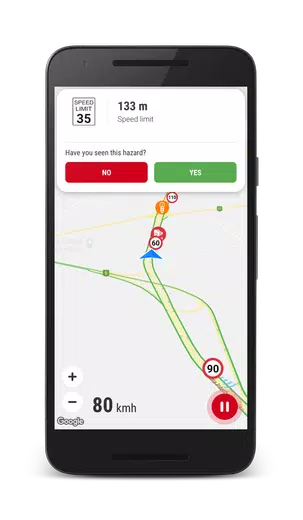
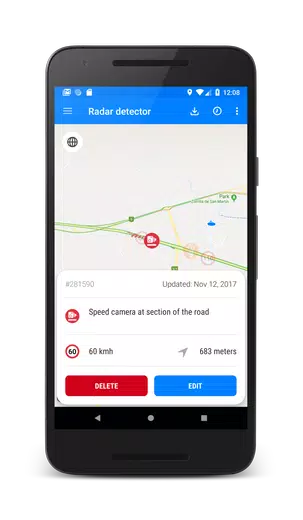
Speed Camera Detector application was created for drivers to detect hazards on the road, such as speed cameras (mobile ambush, static speed cameras, red light cameras), speed bumps, bad roads and etc.
This application uses database of POI and hazards previously detected by other users.
Application requires enabled GPS to detect hazards during driving.
Application supports all the countries of the world!
Any registered user can add new hazard to shared database. Also user can influence on rating of hazard (when user get danger alert he can define whether danger exists or not in fact).
Registered users have more permissions to manage POI objects (danger) on the map, for instance, user can explicitly delete irrelevant POI from common database.
The application may run in the background (even when the screen is off), just enable option “Use speech when hazard detected”.
How to use app?
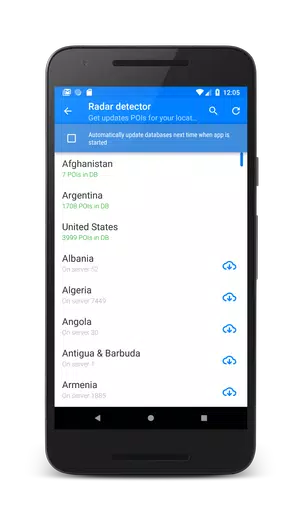
1. If you just installed the app you will need to go to menu “Update databased” to download and install the latest database of speed camera for your region (country).
2. To enable radar, press the “Start” button at the bottom right of the screen.
3. The application notifies only the dangers that are along your route.
4. You can call main setting, swiping from the left edge of the screen to the right.
5. You can call dangers filter that you want to discover swiping from the right edge of the screen to the left.